
How to turn your team’s fraud expertise into automated checks
Table of Contents
[ show ]- Loading table of contents...


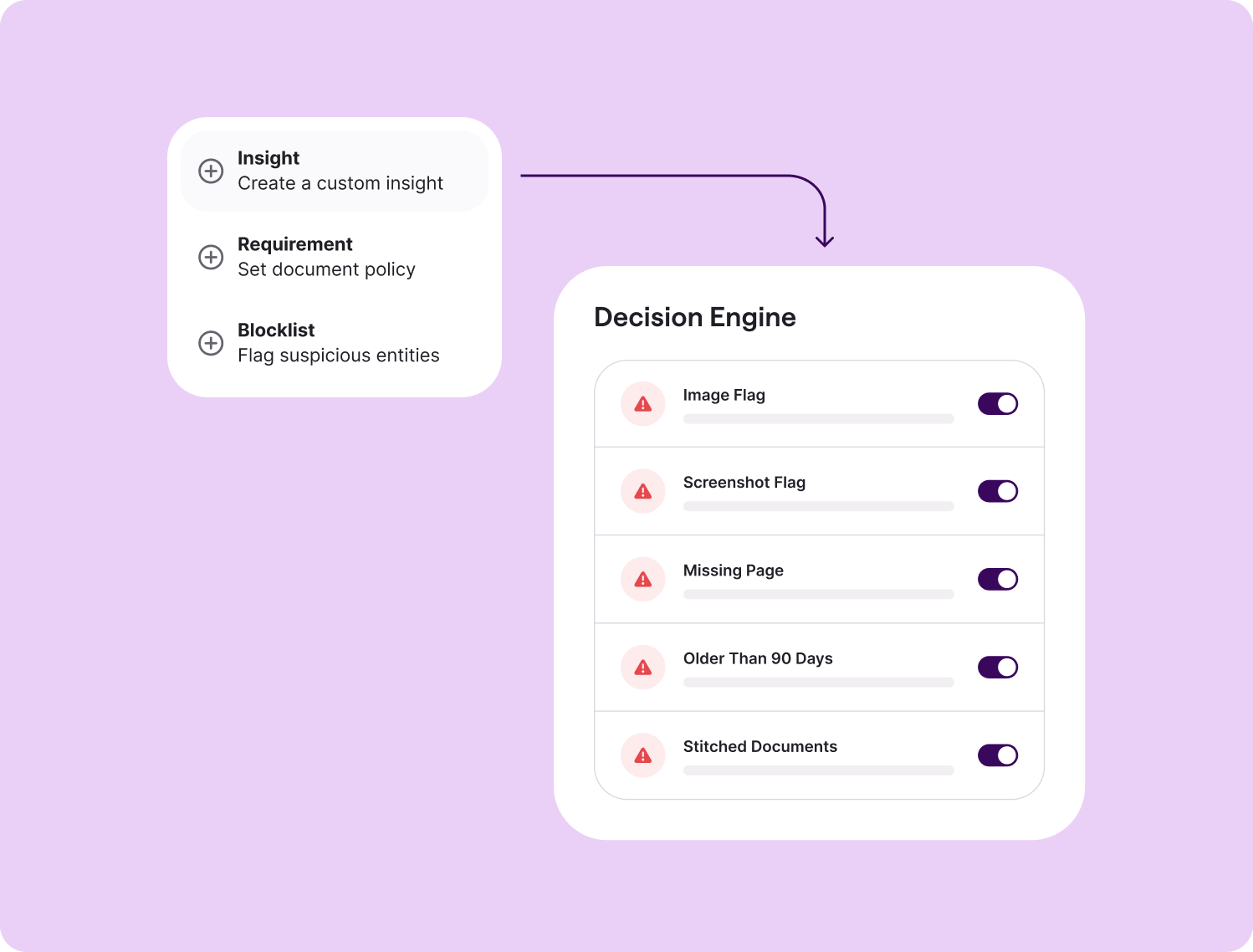
Inscribe's core detectors catch a wide range of document fraud out of the box. But every institution has its own policies, risk tolerances, and review processes. The Decision Engine is how you tailor Inscribe to your workflow.
One of the most powerful ways to do that is with Custom Document Insights. They allow you to turn your team's fraud expertise into automated checks that run on every document, every time.
So what are they, exactly?
Think of them as rules written in plain language that flag a document when a specific condition is met. They don’t replace any of Inscribe’s existing capabilities. Instead, they add an extra layer of checks tailored to your organization's risk model and policies.
If your analysts are doing a check manually today, there's a good chance it can become something that happens automatically, every time.
What does that look like in practice?
Here are some of the most common insights teams are already building.
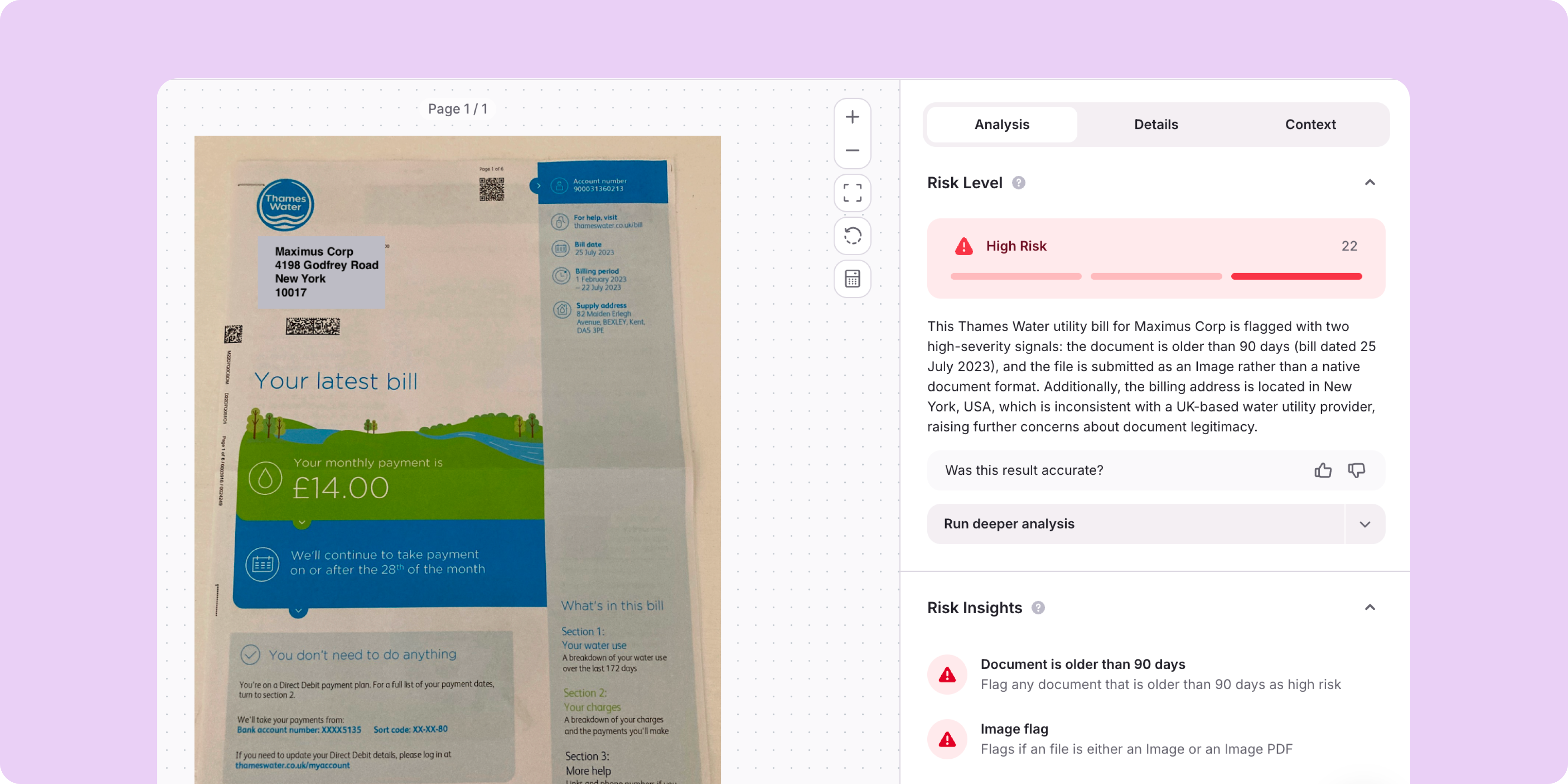
Documents 90+ days old
Many teams only accept recent documents. This insight flags anything older than your organization's maximum document age, so reviewers don't have to catch it manually.
Missing pages
Incomplete bank statements can hide important transaction history. This insight flags documents with one or more missing pages before they move further in your workflow.
Incorrect account type
If your workflow requires a personal bank statement and someone submits a business account instead (or vice versa), this insight flags the mismatch automatically.
How you build them
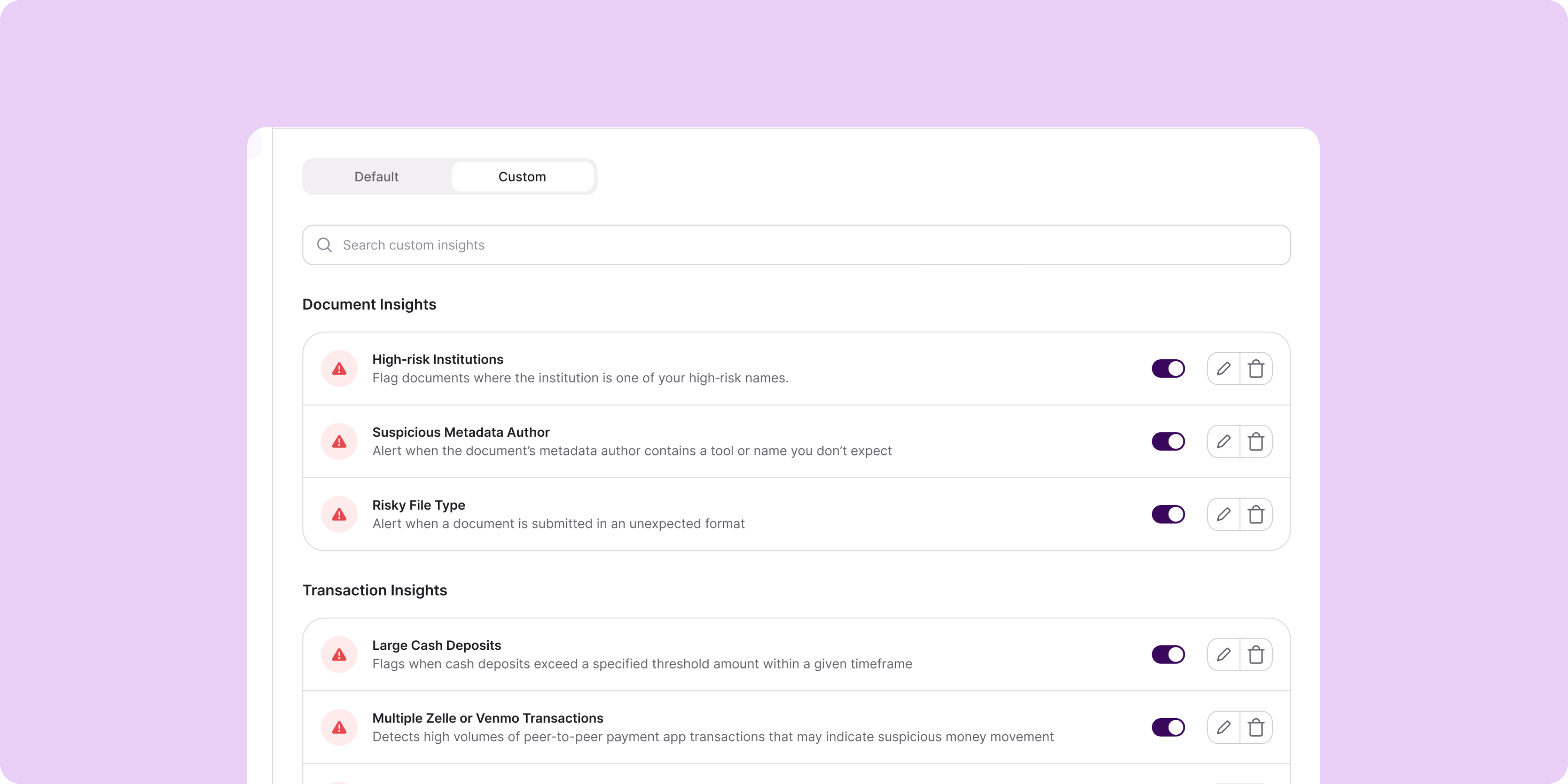
Everything lives inside our Decision Engine. You give the insight a name, describe what it detects, set the logic, and choose a severity level (low, medium, or high) depending on how much weight you want it to carry. Inscribe also surfaces suggestions based on what other teams are already using, so you don't have to start from scratch.
A good place to start
Simply ask your team what do we always check manually before approving a document? Whatever comes up is probably a good candidate for your first insight.
Beyond Custom Document Insights
Custom Document Insights are often the first thing teams configure because they're the fastest way to automate checks that already exist in your review process. But they're only one part of Decision Engine.
As you learn more about the types of fraud and document behavior that show up in your workflow, there are other ways to tailor Inscribe to your risk model.
Adjust signal severities
Every signal Inscribe surfaces comes with a default severity based on how strongly it correlates with fraud across our customer base. But not every signal carries the same weight for every institution.
If a particular signal consistently turns out to be benign in your document set, you can lower its severity so it doesn't create unnecessary noise. Likewise, if you've found that a certain signal is highly predictive of fraud in your environment, you can elevate it to ensure reviewers treat it as a higher priority.
Fine-tune detector behavior with custom rules
Inscribe's detectors are designed to work across a wide range of document types and use cases. Custom rules let you make them more specific to your workflow.
For example, you might choose to apply a detector only to bank statements, exclude it from pay stubs, or restrict it to PDFs instead of images. This gives you more control over when signals appear without changing the underlying detection logic.
Block software you never want to see
As part of our analysis, Inscribe identifies the software used to create or modify a document. Teams can maintain a custom software blocklist that automatically flags documents created with specific editing tools.
This is particularly useful when your fraud or risk team has identified software that repeatedly appears in suspicious submissions and has no legitimate reason to be present in your document set.
Together, these capabilities help ensure Inscribe reflects how your team evaluates risk, not just how fraud is detected generally.
Want to learn more? Request a demo today.
FAQ

Custom Document Insights are configurable rules that automate institution-specific document checks inside Inscribe's Decision Engine. Fraud and underwriting teams can turn manual review steps into automated insights that flag documents whenever a defined condition is met.
Teams commonly automate checks for document age requirements, suspicious metadata, screenshots and image submissions, personal versus business bank statements, stitched bank statements, and other institution-specific document policies. Any check your reviewers perform consistently is often a good candidate for a Custom Document Insight.
No. Inscribe's built-in document fraud detectors continue to identify manipulation, AI-generated content, metadata anomalies, template fraud, and other fraud signals. Custom Document Insights add an additional layer of organization-specific checks that reflect your own policies and review process.
Yes. The Decision Engine allows you to create Custom Document Insights, adjust fraud signal severities, fine-tune when detectors run using custom rules, and maintain software blocklists. These capabilities help Inscribe reflect your institution's policies and risk tolerance.
No. Custom Document Insights are created inside the Decision Engine using plain-language descriptions and configurable logic. Fraud and risk teams can automate new document checks without writing code or relying on engineering resources.
Yes. Custom rules allow you to tailor when existing fraud detectors apply. For example, you can limit a detector to specific document types, restrict it to PDFs or images, or exclude it from certain workflows while keeping the underlying detection logic unchanged.
Yes. The Decision Engine allows you to maintain a software blocklist that automatically flags documents created or modified using specific editing applications. This is useful for identifying software your fraud team has associated with suspicious submissions.
A simple place to start is by asking your reviewers which document checks they perform manually before approving an application. If a check happens consistently, it's likely a strong candidate for automation using a Custom Document Insight.
About the author
Stephanie Spangler is the Head of Product Marketing at Inscribe, where she covers AI-powered fraud detection, document risk, and how financial institutions are adopting agentic AI. She writes on the intersection of product and practice — translating what fraud detection technology does into what it means for the risk teams using it.
What will our AI Agents find in your documents?
Start your free trial to catch more fraud, faster.